Case Study:

DCG Geospatial

Agency: Desert Creative Group

Timeline: 2025

Role: Designer & Developer

Services:

  • Web Design
  • UX/UI
  • Web Development
  • Information Architecture
Desert Creative Group Logo

Overview

DCG Geospatial was created as a dedicated digital home for Desert Creative Group’s growing geospatial technology offering. As America and Canada’s only licensed Tersus Master Distributor, DCG not only supplies Tersus geospatial technology but also works with organizations interested in becoming partners and reselling the products.

Previously, DCG’s geospatial products lived within a subpage of its broader digital marketing website. As the product offering grew, the company needed a dedicated platform where each technology could be explored in greater depth while still making the catalog approachable for prospective customers and partners.

Desert Creative Group Logo

Tools Used:

The Challenge

DCG Geospatial was created as a dedicated digital home for Desert Creative Group’s growing geospatial technology offering. Previously, DCG’s geospatial products lived within a subpage of its broader digital marketing website, limiting the amount of information that could be presented about each product and making it difficult to build a dedicated experience around the company’s expanding catalog.

The new website needed to do more than simply move those products onto their own domain. It needed to give each technology room to breathe while keeping a large amount of technical information approachable and easy to navigate for visitors.

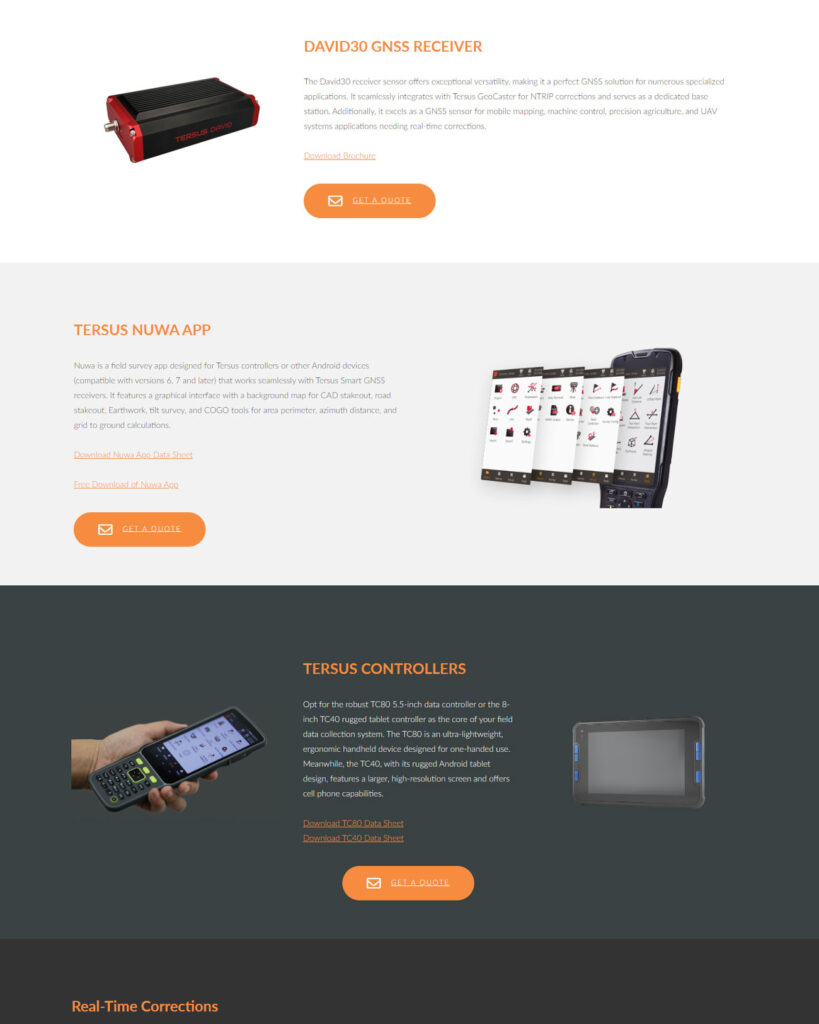
Original Layout:

Screenshot of a web page showcasing the David30 GNSS Receiver, Tersus NUWA App on tablets, and Tersus Controllers with product images, descriptions, and orange Get a Quote buttons.

My Process:

01 Building a Home for a Growing Product Catalog
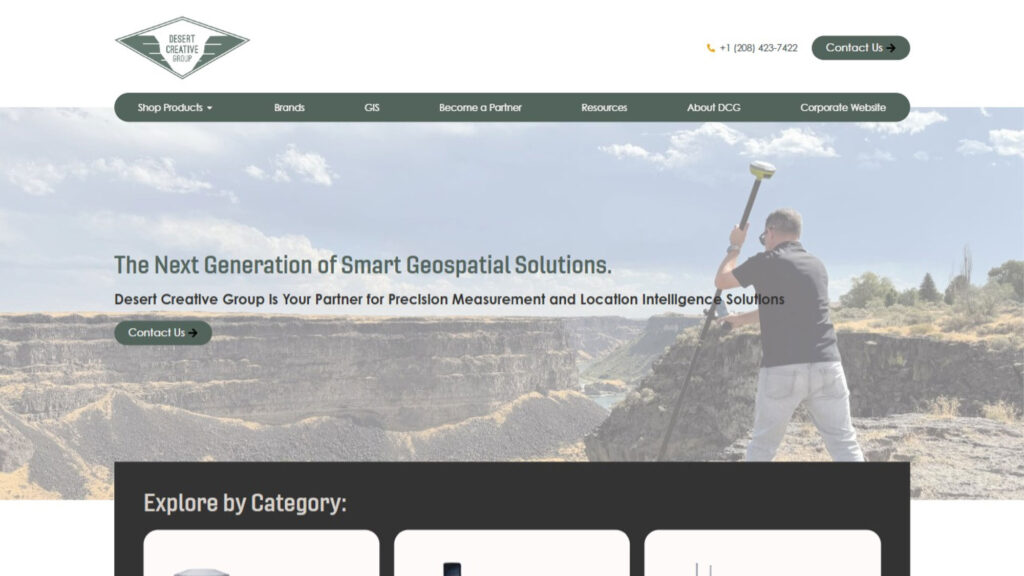
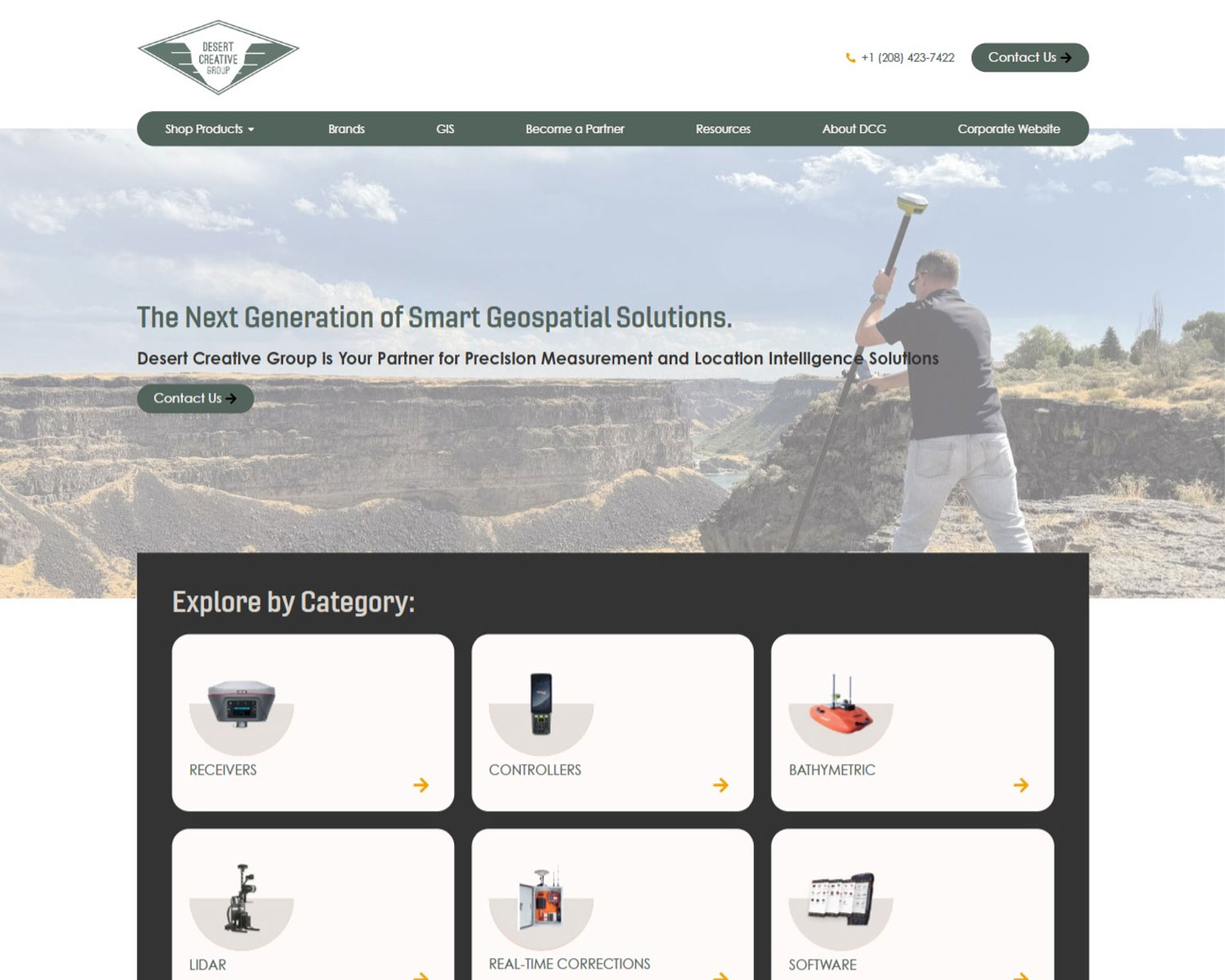
Screenshot of a website homepage for Desert Creative Group showcasing geospatial products and categories like receivers, controllers, bathymetric equipment, LiDAR, corrections, and software. A person surveys land in the banner image.

The first challenge was creating a dedicated structure for products that had previously been presented as part of a much broader digital marketing website.

I designed the new site around the products themselves, giving each technology enough space to communicate its purpose, capabilities, applications, and specifications.

The website was built around reusable structures for product pages and parent product categories, allowing the growing catalog to maintain a consistent visual language while accommodating different types of technology.

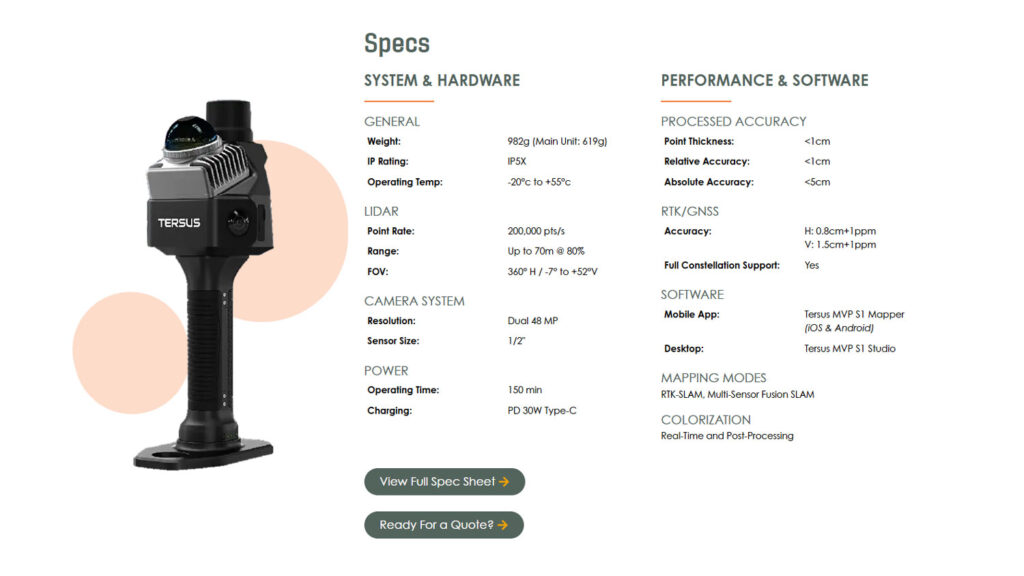
Handheld Terus lidar scanner shown with product specs: weight, range, accuracy, lidar and camera details, connectivity, mapping modes, and performance features listed in columns on a white background. Two green buttons at the bottom.

Geospatial technology comes with a lot of information: specifications, capabilities, features, applications, and technical terminology.

Rather than presenting that information as large blocks of copy, I designed the product pages to break content into visually distinct sections. Typography, spacing, imagery, and content hierarchy work together to help visitors scan the page and find the information most relevant to them.

This approach was particularly important for products like the MVP S1, where the page needed to communicate a substantial amount of technical information while still maintaining a clear visual rhythm.


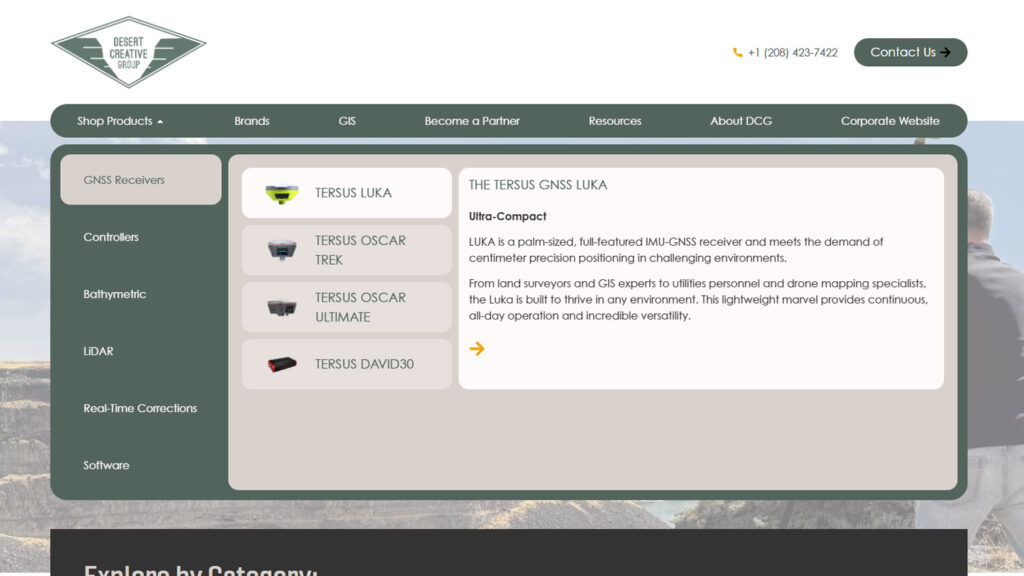
Screenshot of a website page displaying GNSS receivers, including TERSUS Oscar and LUKA models. The lower section shows icons for categories like Receivers, Controllers, and Bathymetric.

With a growing catalog of specialized equipment, navigation became one of the most important UX challenges of the project.

I designed a custom tab-based mega menu in Elementor that works as a layered browsing system. The first level organizes products by category, while selecting a category reveals a second level of tabs for the individual products within it.

Each product tab includes a concise overview, giving visitors enough context to determine whether they want to explore that product further before navigating to the full product page.

The result is a navigation system that turns a potentially overwhelming product catalog into a guided browsing experience.

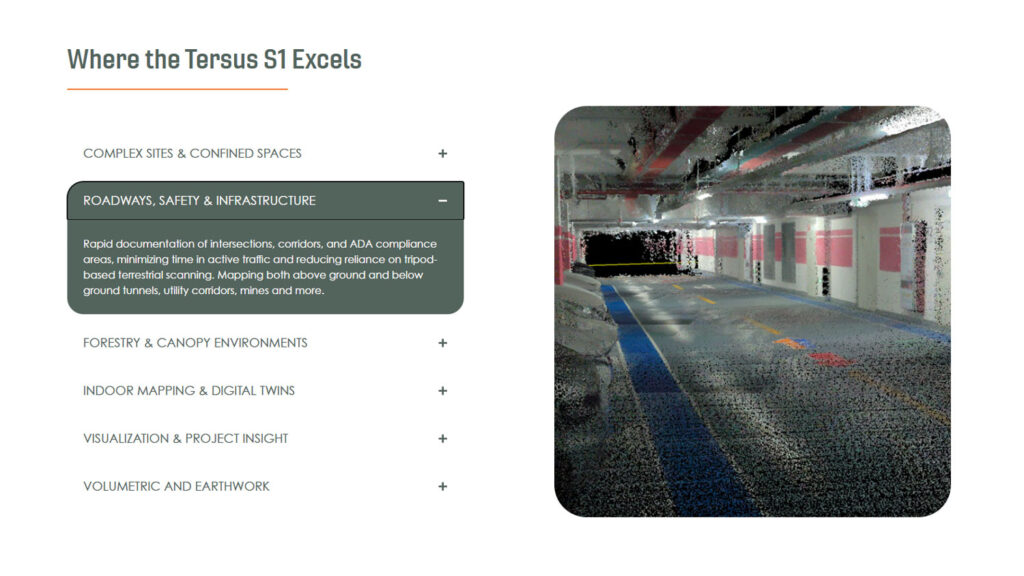
A digital rendering of an underground parking garage with scanned data points, showing infrastructure details under fluorescent lighting. Text and bullet points about the Tersus S1s capabilities are visible on the left side.

The product pages also provided opportunities to move beyond static layouts.

On the MVP S1 product page, I designed and implemented an interactive image swapper that allows visitors to explore different product imagery directly within the page.

Rather than requiring visitors to scroll through a gallery or open separate images, the interaction keeps the product visually present while allowing the user to explore it from different perspectives.

(The interaction of this section demonstrates this functionality in action 😊)

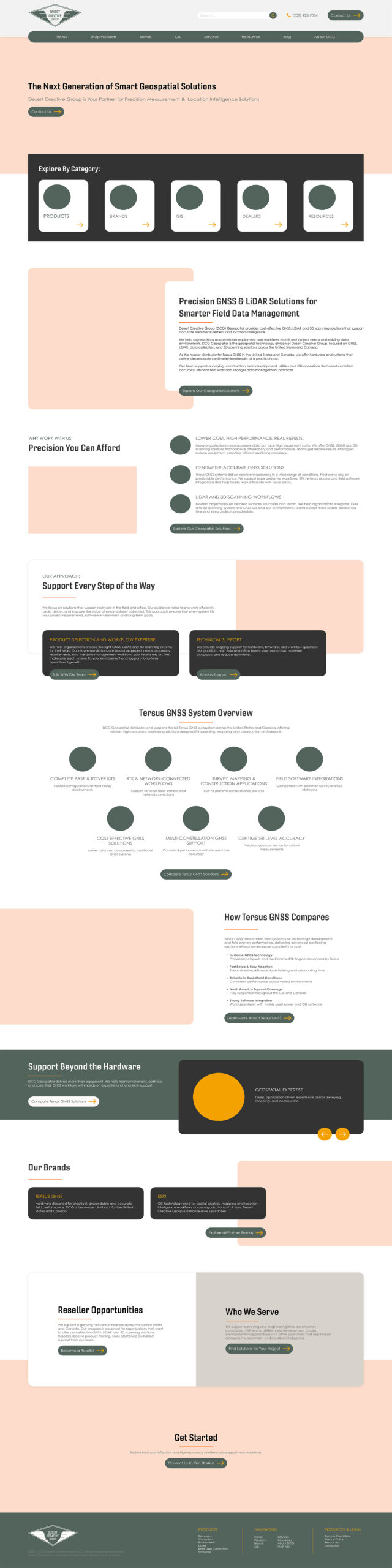
Screenshot of a website homepage for Desert Creative Group showcasing geospatial products and categories like receivers, controllers, bathymetric equipment, LiDAR, corrections, and software. A person surveys land in the banner image.

The Outcome

The finished DCG Geospatial website gave the company’s geospatial technology division a dedicated digital presence capable of supporting a much deeper level of product information.

Instead of forcing technical products into the structure of a general digital marketing website, the new experience gives each category and product room to communicate its value while maintaining a consistent visual system.

Most importantly, the site makes a complex product catalog easier to explore. The layered mega menu helps visitors move from technology category → individual product → detailed product information, while the structured page layouts make dense technical content easier to scan and understand.

The result is a website designed not just to display geospatial technology, but to help visitors navigate it.

View Mockup: